Club Sign-In Link
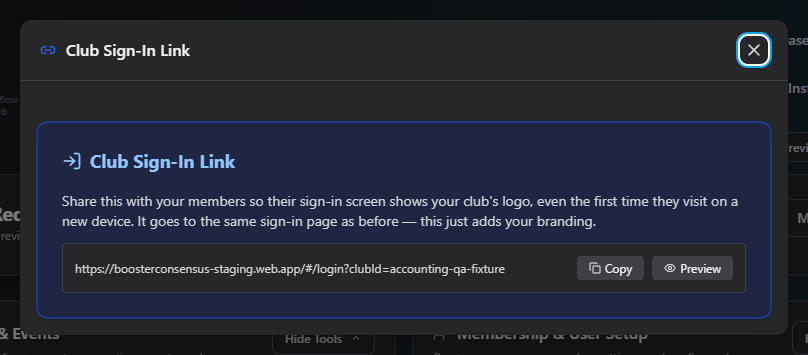
The Club Sign-In Link is a permanent, shareable link that opens the sign-in screen already branded with your club's logo, and remembers your club on that device for next time. It never expires and there's nothing secret in it — it just carries your club's ID so the sign-in page knows which logo to show.
Where to find it: Club Operations card → Club Sign-In Link button
Who can use this: Only your Club Admin account.
What you can do here
There's nothing to configure — just two actions:
- Copy — copies the link to your clipboard (shows "Copied!" for a couple of seconds).
- Preview — opens the link in a new tab so you can see exactly what your members will see.
Share this link with your board, staff, and members however you like (email signature, a pinned message, a printed handout) so they land on a sign-in page that already shows your club's branding instead of a generic one.
Common questions
Do I need to generate or activate this link? No — unlike the Membership Link & QR Code, there's no token to generate and nothing to turn on. The link is always active as soon as your club exists.
Can someone use this link to sign in as a different club? No — the link only affects which branding is shown on the sign-in page. Each person still signs in with their own account, which is tied to whichever club(s) they actually belong to.
Related
- Club Profile — the logo shown on this branded sign-in page comes from here
- Membership Link & QR Code — the link families use to join your club, as opposed to sign in to an existing account