Reimbursements
Reimbursements covers getting paid back for something you bought for the club — and, for your treasurer or accounting officers, reviewing and approving everyone else's requests too. What you see depends entirely on whether you hold the Manage Accounting permission.
Where to find it: Club Operations card → Reimbursements button
Who can use this: Any board member can submit a request. Reviewing, approving, and recording payment additionally requires the Manage Accounting permission (Treasurers get this by default).
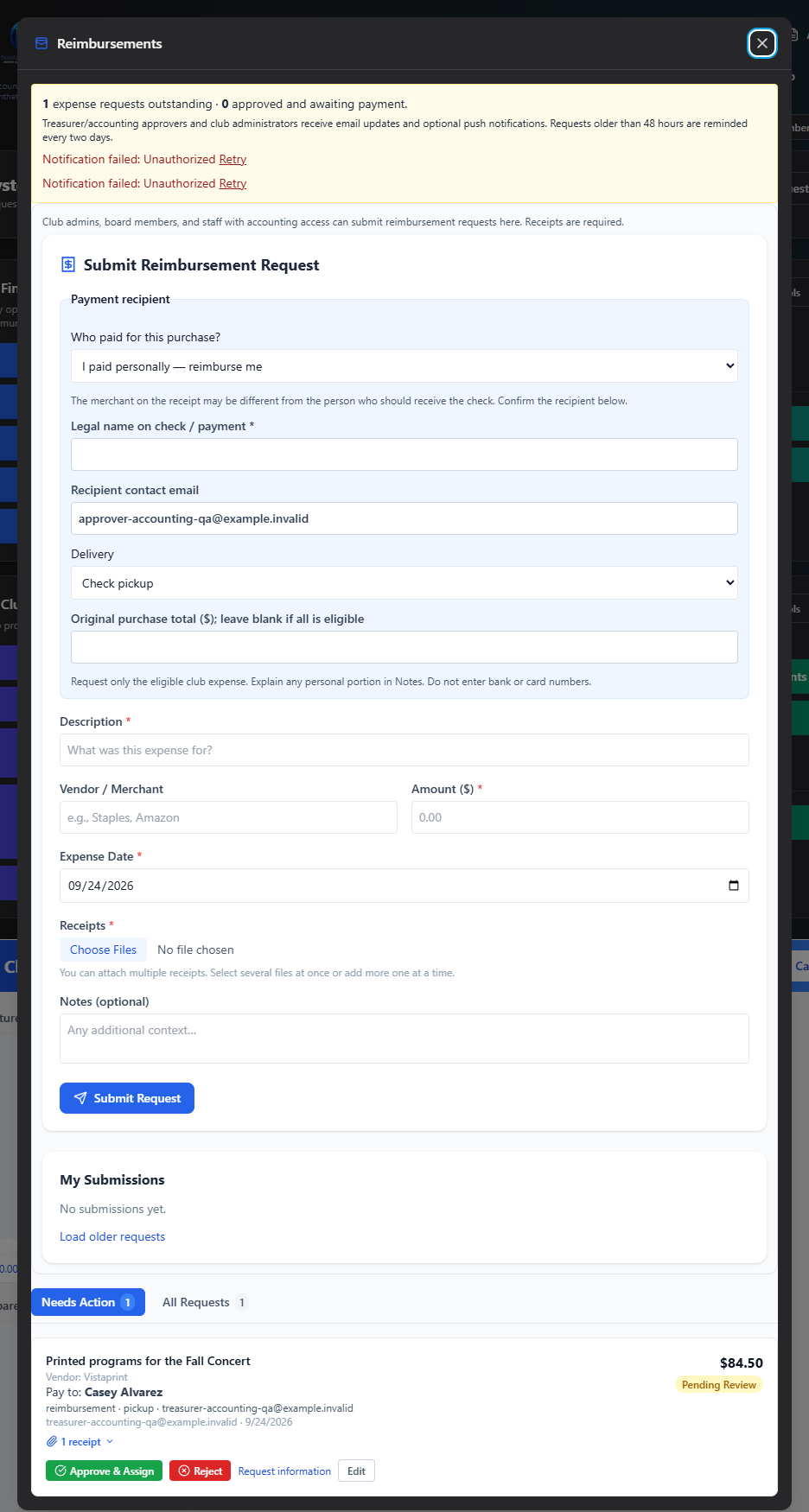
Two views, depending on your permission
| If you... | You see |
|---|---|
| Don't have Manage Accounting | Just the submission form — request money back, and track your own submissions |
| Have Manage Accounting | The submission form (so you can submit your own expenses too), plus a full Needs Action / All Requests review queue |
What's in this section
- Submit a Request — the form everyone uses: what you paid for, how you want to be paid back, attaching receipts, and tracking your own submissions
- Review and Approve — for Manage Accounting holders: approving requests with an expense-account allocation, rejecting, asking for more information, and handling cancellation requests
- Record Payment — the final step once a request is approved: log the actual payment and post it to your books
Where to start
- Just need to get paid back for something? Go straight to Submit a Request.
- Reviewing what's come in from your board? Start with Review and Approve.
Related
- Accounting — approving and posting a reimbursement writes directly to your club's books