Governance Documents
Governance Documents is your club's official record-keeping screen — the fiscal-year archive of meeting records, your permanent organizational documents (bylaws, tax filings, insurance, policies), and a compliance checklist that tracks what your club still needs to have on file.
Where to find it: Governance & Permissions card → Governance Documents button
You can also reach this exact same screen from Committees → (your board committee) → Governance Hub tab — they're the same content, just two doors into it.
Who can use this: Club Admins, and board members granted the Manage Documents permission (Secretaries get this by default). If you don't see this button at all, ask your Club Admin to grant you Manage Documents under Board Permissions.
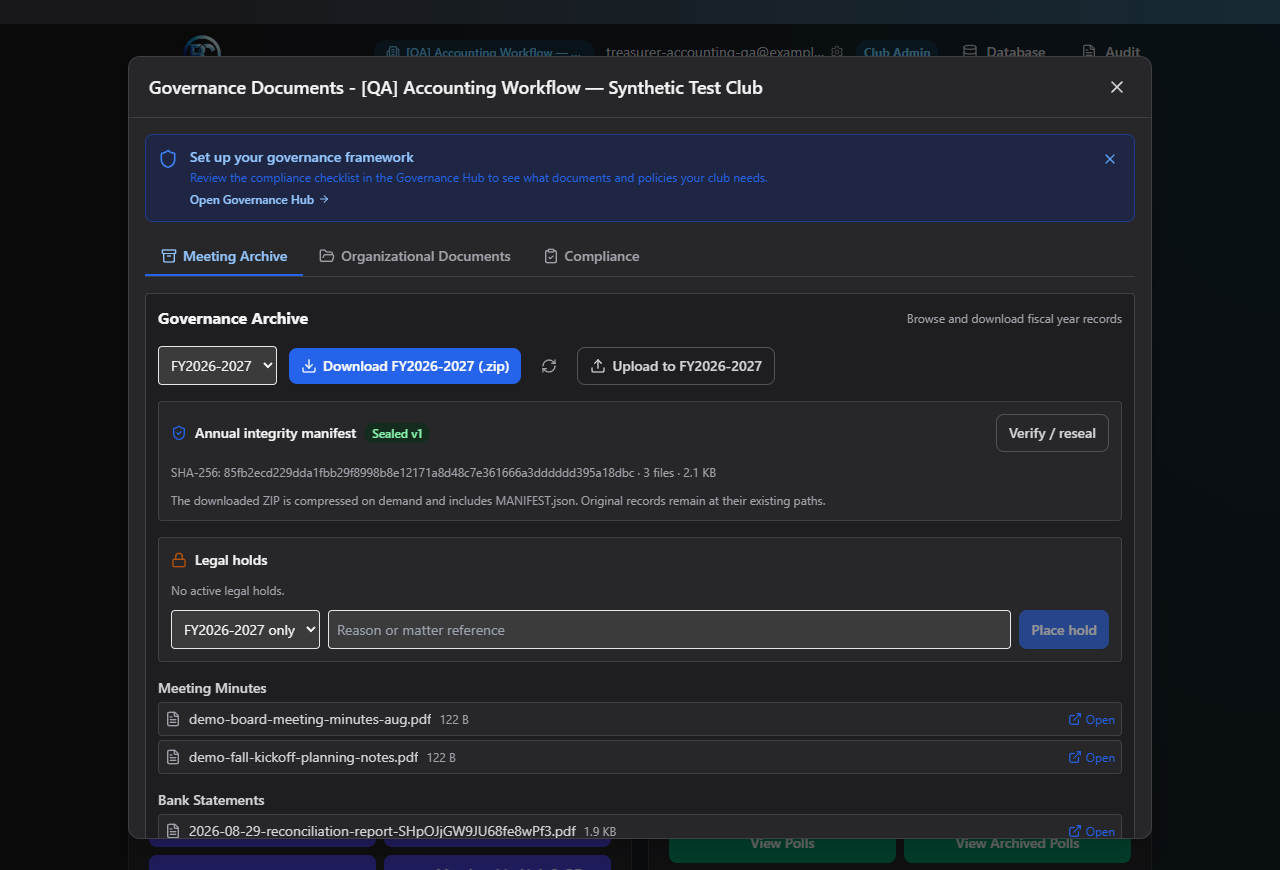
What you can do here
- Browse the fiscal-year Meeting Archive — download a year's records, seal an archive for integrity, and place legal holds
- Manage Organizational Documents — bylaws, tax filings, certificates, insurance, policies, and vendor W-9s
- Track your Compliance Checklist — a scored list of what your club needs on file, with upcoming deadlines
Where to start
- New club, setting up records for the first time? Start with the Compliance Checklist to see the full list of what you'll eventually need, then upload documents under Organizational Documents as you get them.
- Just finished a board meeting? Its minutes are filed into the Meeting Archive automatically once they're archived — you don't upload them here yourself.
Related
- Committees — meeting minutes flow into the Meeting Archive from here, and Committee Documents approvals and document-deletion requests create polls
- Polls — where those approval polls actually get voted on