Committees
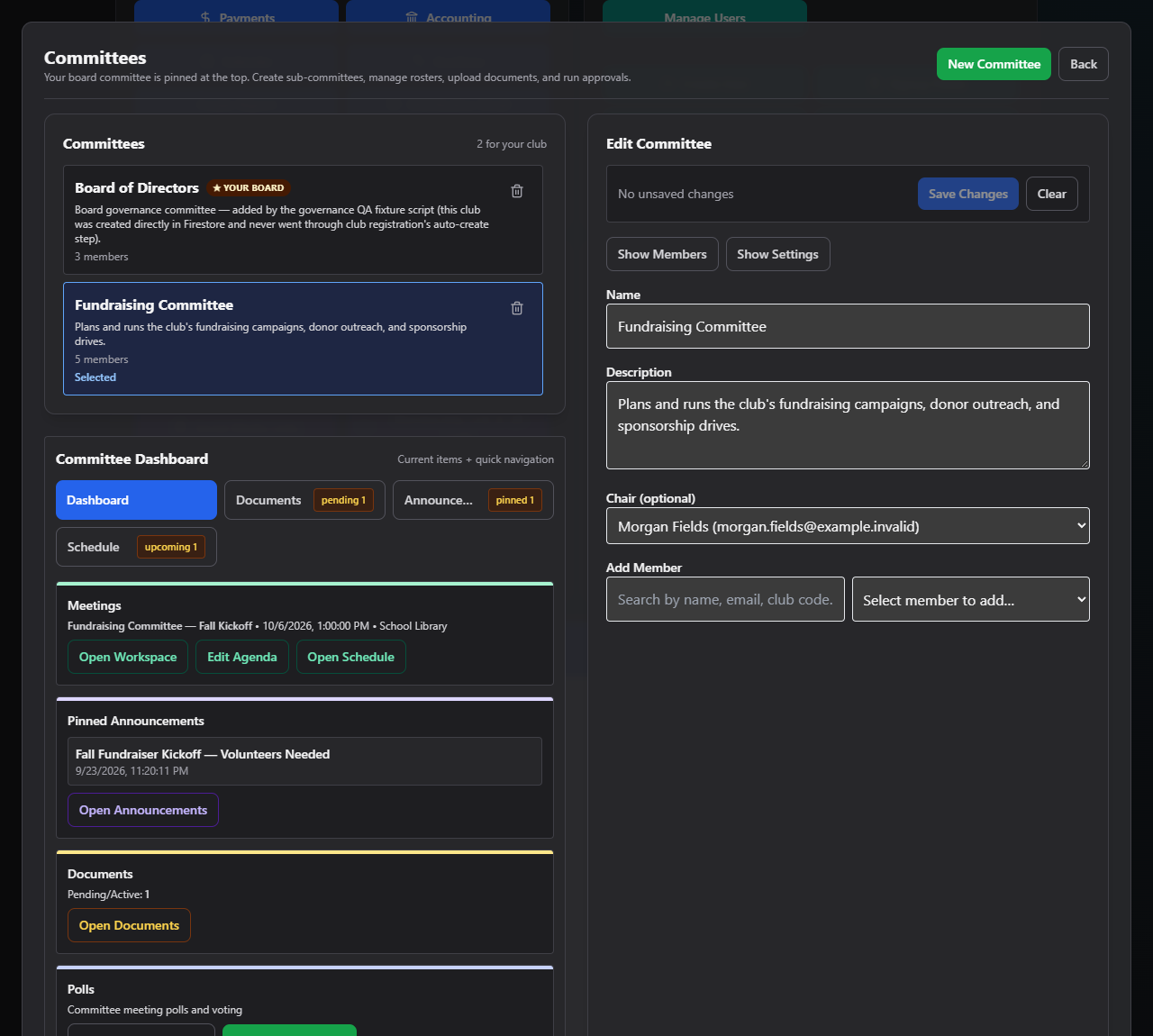
Committees is where your club organizes people around a purpose — a fundraising committee, a trip-planning committee, or your official board committee — and where official meetings get run from a published agenda through to approved minutes.
Where to find it: Governance & Permissions card → Committees button
Who can use this: Club Admins and any board member granted the Manage Committees permission can create and fully manage every committee in the club. A member who isn't a manager can still see and use any committee they belong to, chair, or created — they'll be able to do everything described here for that one committee, but won't see other committees they aren't part of.
What you can do here
- Create and edit a committee — name, description, chair, members, authorized closers, and quorum
- Use the committee workspace — a Dashboard, plus Documents, Announcements, and Schedule tabs for that committee
- Build a meeting agenda — templates, sections, linked documents, and vote-required items
- Run a meeting — attendance, motions, seconds, voting, and handling a lost quorum
- Record and approve minutes — generate minutes from what happened in the meeting, then review, approve, and certify them
- Governance Hub, Electronic Actions & Registers — three extra tabs that only appear on your club's official board committee; see Governance Documents (same screen, reached a second way) and Committee Workspace
Where to start
- Create your first committee — give it a name and add members. Your club's official board committee already exists and is marked with a "Your board" badge.
- Schedule a meeting on the Schedule tab.
- Build the agenda before the meeting — start from a template to save time.
- On meeting day, open the meeting workspace and run it live — check people in, record motions, and take votes.
- Afterward, generate and approve the minutes.
Note: Requesting to delete a committee doesn't delete it immediately — it files a deletion request that a Club Admin (or Zeus Admin) has to approve.
Related
- Governance Documents — approved minutes and finalized documents automatically flow into the fiscal-year Meeting Archive there
- Polls — committees can create meeting-date polls and document-approval polls that show up in Polls