Dues Status
Dues Status is a quick, read-only snapshot of who needs attention on dues — nothing here is clickable or editable; it's meant as a heads-up, not an action screen.
Where to find it: Membership & User Setup card → Dues Status button
Who can use this: Only your Club Admin account.
Note: If no one currently needs attention, this screen shows nothing at all — an empty modal isn't a bug, it just means every membership is current.
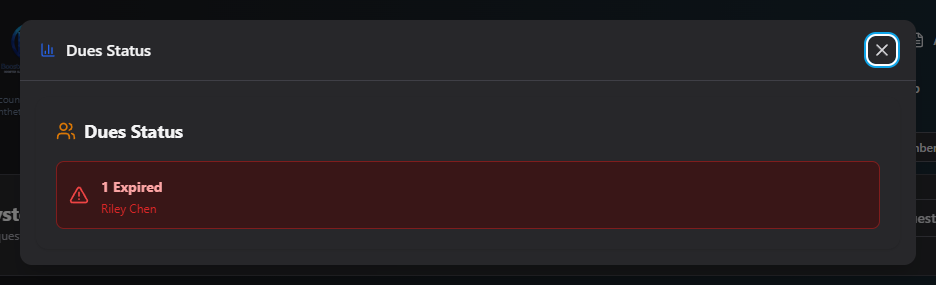
What you'll see
Up to three colored panels, each only shown if it has members in it:
| Panel | Meaning |
|---|---|
| Expired (red) | Membership has lapsed past the grace period |
| Expiring Soon (amber) | Membership is about to expire |
| Pending Payment (blue) | A dues payment has been started but not completed |
Each panel lists up to 3 names, then "+N more" if there are more than that.
Acting on what you see
This screen is purely informational — to actually renew, follow up with, or update someone, go to Manage Users and find them there.
Related
- Dues Settings — the rules (grace period, expiration mode) that determine who shows up here
- Manage Users — where to act on a flagged member