Accounting — Reports & Governance Packets
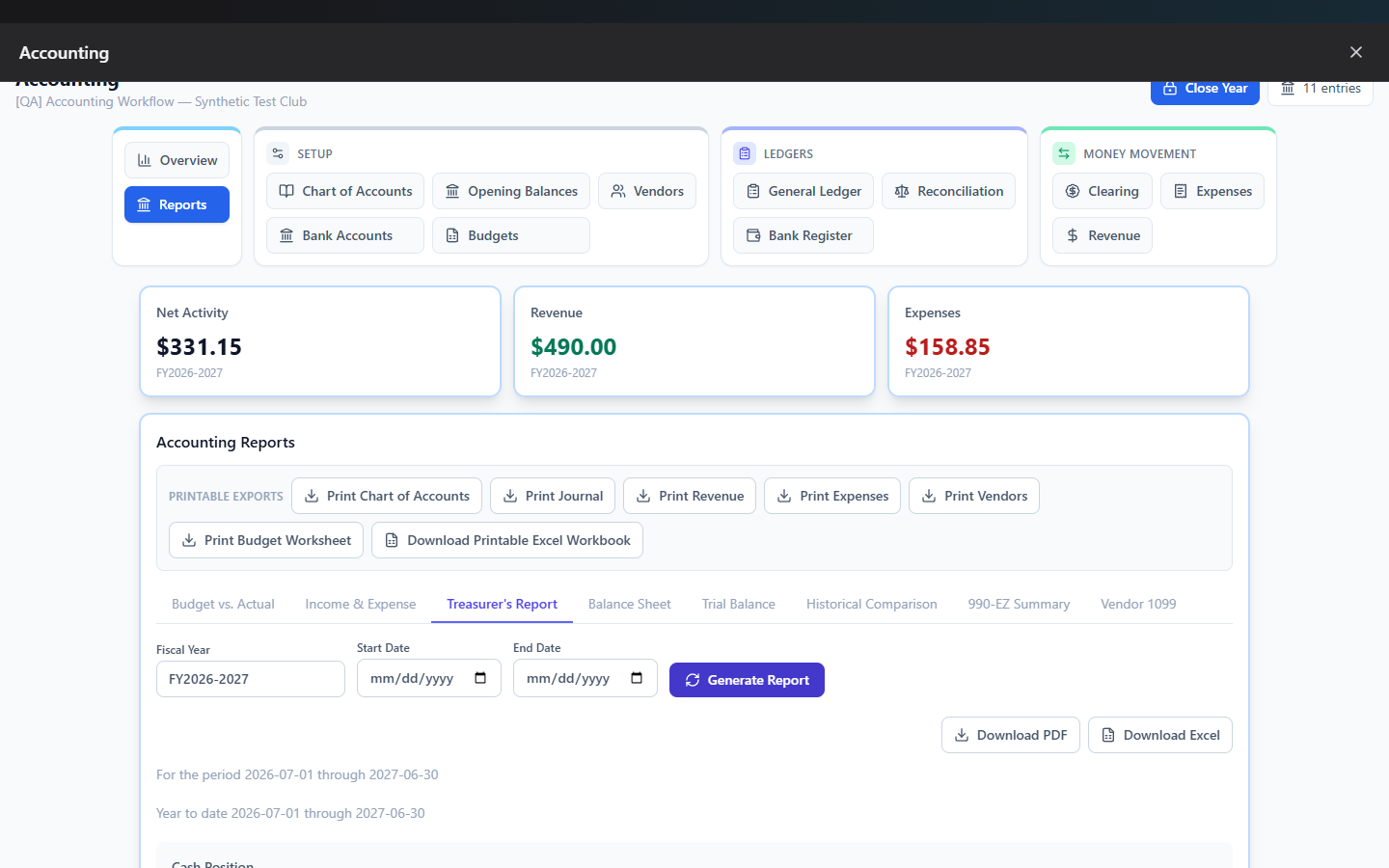
Where to find it: Finance & Events card → Accounting button → Reports tab
This is your financial reporting suite — standard board/tax reports, one-click printable exports of your raw records, an ad-hoc payment/fee report builder, and a way to permanently archive board-ready packets.
What you can do here
- Generate a standard financial report
- Print quick exports
- Build a payment or fee report
- Archive a governance packet
Generate a standard financial report
Click one of the report-type tabs, set the filters that appear (they vary by report — see below), and click Generate Report. Once generated, Download PDF and Download Excel buttons appear to export exactly what's on screen.
What each report shows
| Report | Shows | Filters |
|---|---|---|
| Budget vs. Actual | Budget vs. actual vs. variance, per account, with subtotal rows | Fiscal Year, date range |
| Income & Expense | Starting/ending bank balance for a period, itemized income and expenses, net result | Fiscal Year, date range |
| Treasurer's Report | The classic monthly board report — cash position, period and year-to-date income/expense vs. budget, net income summary | Fiscal Year, date range |
| Balance Sheet | Assets vs. Liabilities + Equity as of a chosen date, with a Balanced/Out of Balance indicator | As of Date |
| Trial Balance | Every account's debit/credit/net totals for a range, with a Balanced/Not Balanced indicator | Date range |
| Historical Comparison | Income and expense accounts across up to 5 prior fiscal years, side by side | Fiscal Year, number of prior years |
| 990-EZ Summary | Part I Revenue / Part II Expenses grouped by IRS 990-EZ line, with a warning for any unmapped accounts | Fiscal Year |
| Vendor 1099 | Every 1099-eligible vendor with year-to-date paid totals and a masked Tax ID | Fiscal Year |
Note: The 990-EZ Summary and Vendor 1099 reports are explicitly informational — both carry a disclaimer to consult a qualified tax professional before filing.
Print quick exports
Six buttons at the top give you an instant PDF of your raw records, independent of the
report generator above: Print Chart of Accounts, Print Journal, Print
Revenue, Print Expenses, Print Vendors, and Print Budget Worksheet.
Download Printable Excel Workbook bundles all six as separate tabs in one .xlsx
file.
Build a payment or fee report
A separate, embedded report builder for payment/dues/fee data (as opposed to the accounting ledger). Pick a report type across the top (ledger, revenue, item-level, installment, fees, fee assignments, providers, etc.), set the filters that appear (date range, a specific payment item, or fee status), click Preview, choose which fields to include, and export as PDF or Excel.
Note: This is the same detailed financial-report engine referenced from Create Report — it lives here specifically because it requires the Manage Accounting permission, unlike the general Create Report tool.
Archive a governance packet
A governance packet is a permanent, board-ready snapshot of your ledger for a date range — entries, receipts, and net activity, bundled into one archived PDF.
- Scroll to the Governance Packets panel.
- Enter a Start date and End date.
- Click Archive.
- The packet shows "Pending" while it generates; refresh and click Download once it's ready.
Field reference
| Filter | Applies to |
|---|---|
| Fiscal Year | Budget vs. Actual, Income & Expense, Treasurer's Report, Balance Sheet, Historical Comparison |
| Start/End Date | Income & Expense, Treasurer's Report, Trial Balance, Budget vs. Actual |
| As of Date | Balance Sheet only |
| Prior Years (1–5) | Historical Comparison only |
Common questions
Which report should I use for a board meeting? The Treasurer's Report is built specifically for this — cash position, period and year-to-date figures, and a budget comparison in one document.
Why does the 990-EZ Summary warn about "unmapped accounts"? Any revenue or expense account with transactions that hasn't been assigned an IRS 990-EZ line under Setup is excluded from the report's totals until you map it — the warning tells you exactly which accounts still need mapping.
Troubleshooting
| If you see... | It means... | Do this |
|---|---|---|
| "No data for the selected period." | The filters returned nothing | Widen the date range or double-check the fiscal year format |
| Governance packet stuck on "Pending" | It's still generating server-side | Wait and refresh — there's no live progress indicator |
| "PDF export is not available for this report." | That specific report type doesn't support PDF | Use Excel instead, or view it on screen |
Related
- Budgets — the numbers behind Budget vs. Actual and Treasurer's Report
- Create Report — the general-purpose report tool for non-financial data